
The best ownership discoveries are often small: a symbol beside a socket, a cleaning habit that saves the trim, or a number worth recording before an update. This is our growing collection of useful JAECOO tips. The original photographs show the club founder’s UK J8; they do not demonstrate the layout of every J5, E5 or J7. First-hand observations are labelled separately from general club suggestions.
1. Look at the USB symbol, not just the socket shape
First-hand discovery · founder’s JAECOO 8. Two USB-C sockets can look almost identical, but the symbols beside them tell a different story. Our photograph shows a charging symbol beside one port and a device symbol beside the other. That is a useful clue when working out where a wired phone connection belongs.
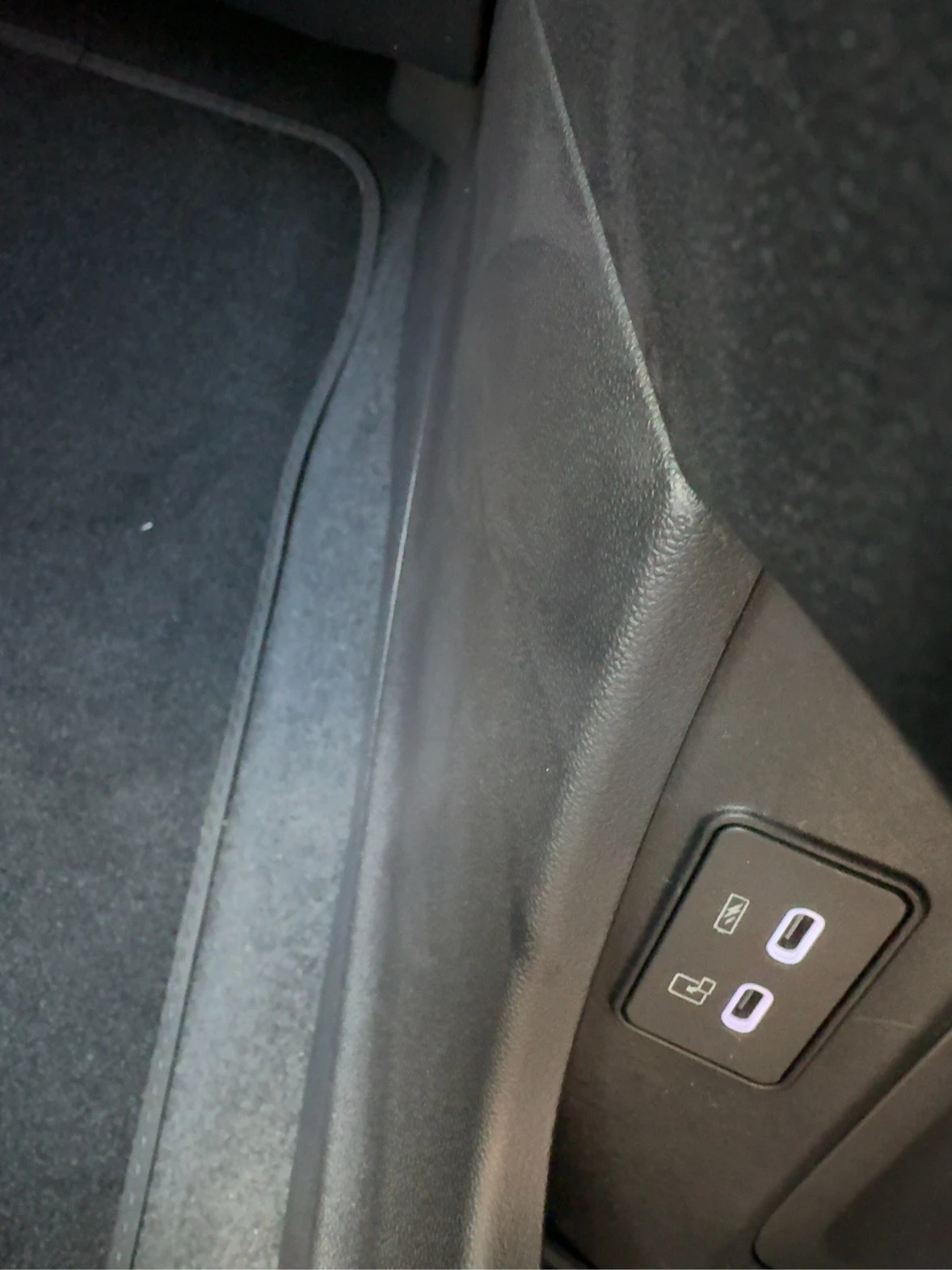
Try this while parked: identify the ports in your own handbook, then use the designated data connection with a suitable data-capable cable if your car supports wired phone projection. A cable that charges successfully is not proof that it carries data. Check the phone permissions too. Wireless connection is a separate feature; do not assume the same connection method or socket layout across the range.
2. Give glossy cabin trim its own clean cloth
General care tip · illustrated by the founder’s J8. Shiny trim looks lovely until it becomes a fingerprint collection. Keep a dedicated, soft, clean interior cloth rather than using the one that has just tackled a wheel or a door sill. Lift loose dust first; avoid rubbing grit across glossy plastic.
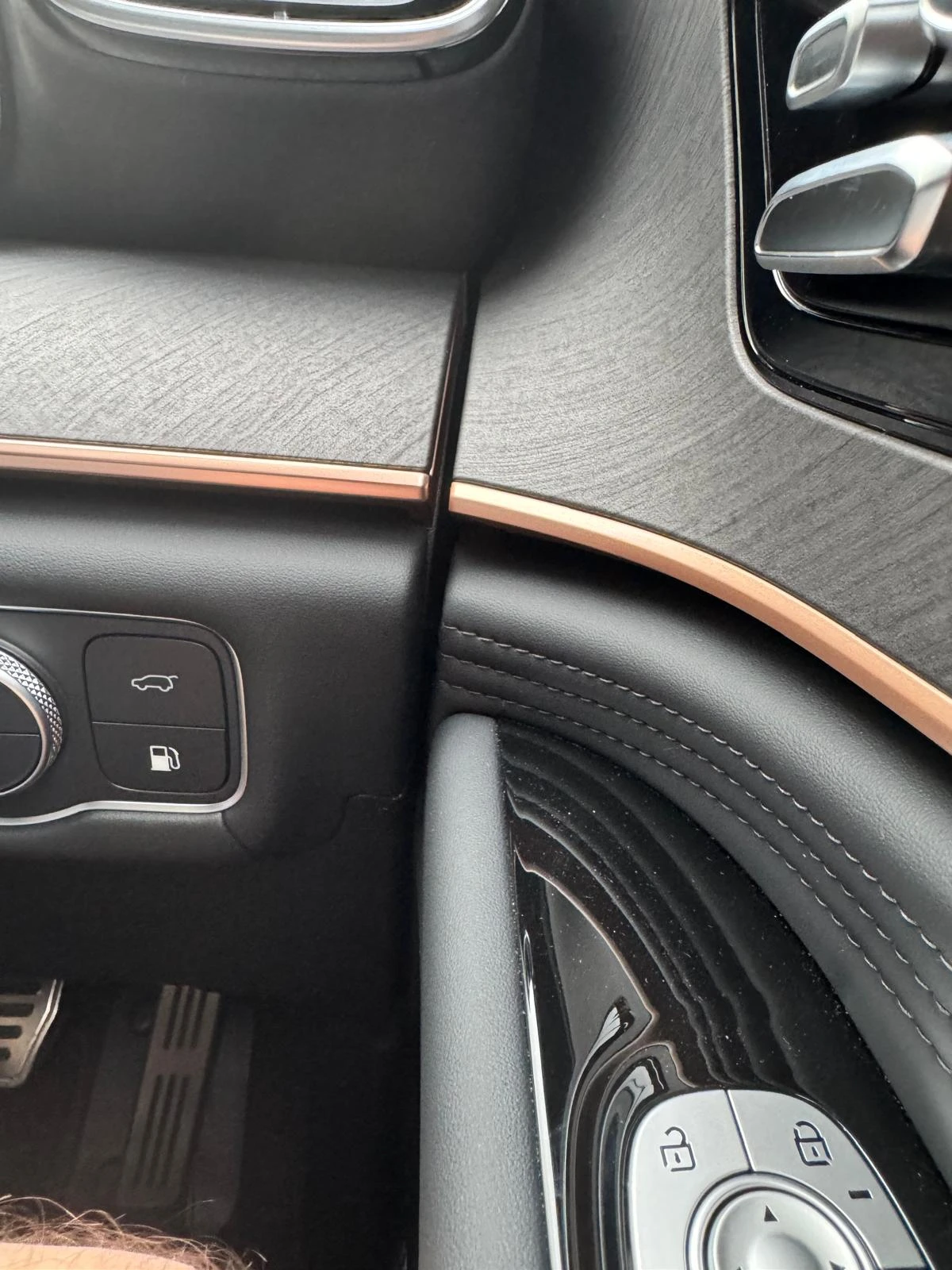
Apply a compatible cleaner to the cloth rather than spraying into buttons, ports or display edges. Screens may need a different cleaning method: follow the vehicle handbook. Our founder’s wash guide explains the products actually used and recommended, without pretending that a cleaner can make trim scratch-proof.
3. Save your software version before the dealer updates it
Club suggestion · all models, where version information is available. Before a booked software visit, photograph the version information your car displays while safely parked. Note the date, model, powertrain and the reason for the visit. Ask the dealer which module is being updated, what the update addresses and whether they can record the before-and-after version on the job sheet.
An infotainment version is not a version number for the entire car. A different-looking number from another owner does not automatically mean your car is out of date: UK specification, model year and module matter. Do not install files from an unofficial download or promise yourself that an update will add a feature without confirmation.
Understand software updates and the evidence we need → Keep a useful service and warranty record →
4. Compare charging cost using energy delivered, not battery size
Club suggestion · E5 and SHS-P plug-in models only. For a straightforward energy-cost check, multiply the charger’s delivered kWh by your electricity rate. An illustrative 10 kWh session at 25p/kWh costs £2.50 before any additional fees. Record the actual delivered energy rather than assuming that every charge fills the entire advertised battery capacity.
At a public charger, check connection, parking and idle fees as well as the energy rate. A low headline tariff can lose its charm if you stay beyond the allowed time. Petrol-only J5/J7 and non-plug-in SHS-H versions do not use external charging.
Use our charging-cost guide and calculator → Understand scheduled charging →
5. Ask for a demonstration before you need the feature
Club suggestion · all models, according to fitted equipment. At handover, ask the retailer to demonstrate phone connection, camera views, seat adjustments, tailgate operation and charging where applicable. Then repeat the useful steps yourself while parked. Watching somebody tap through a menu at dealership speed is not the same as knowing where it lives.
Make a short personal list of the controls you actually use. Ask which settings persist after a restart and which are expected to reset; do not assume a behaviour seen in another model applies to yours. If connected app features are fitted, have the retailer explain activation and permissions before leaving.
Take our handover checklist with you → Find a JAECOO showroom or service centre →
Found something useful? Help the next owner
Have a shortcut, a useful setting or a clever storage discovery? Send the club the model, powertrain, trim and year, what you found, and an original photograph if you have one. For software-related tips, include the relevant version where available. We check submissions before publication and ask for separate permission to publish owner material.
Please keep number plates, addresses, faces and personal account information out of photographs. Do not submit a tip that needs filming while driving.
Discuss discoveries in our Facebook Owners Group →
Photography note: the two original J8 photographs on this page belong to the club founder and were supplied for use on the site. We have not substituted generated cabin images or claimed that another owner tested these tips.
SOURCES & REVIEW
Check the original information.
- JAECOO UK: connected app activation and dealer demonstrations ↗
- JAECOO UK: service and maintenance ↗
- First-hand J8 ownership record and original owner photographs ↗
Prepared by JAECOO Club UK. Source information checked on 6 October 2026. Club checklists and examples are editorial suggestions; follow the handbook and terms that apply to your own vehicle. We are independent of OMODA & JAECOO.